A FiveM refund bot (like LD Refunds) is a Discord bot that automates the refund process for FiveM servers. Staff issue refunds of items, weapons, cash, bank money, or black money via Discord slash commands like /refund give. Players then claim their refunds in-game through an NUI menu. Refund actions are recorded in an audit log.
Refunds from Discord, claimed in-game.
LD Refunds is a FiveM refund bot and script for ESX, QB Core and QBox. Staff give weapon, item and money refunds with /refund in Discord or from the dashboard; players claim them in the in-game menu. It runs in the cloud, so there is no MySQL to set up.
3 days free with every feature, then from €9.99 a month or €49.99 lifetime.
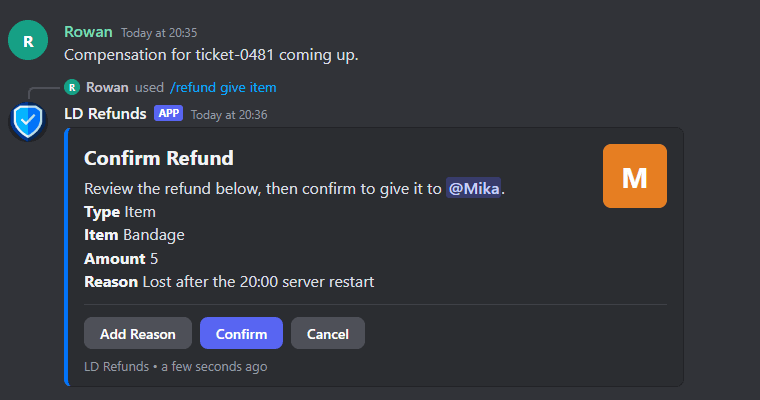
Rowan used /refund give item

LD RefundsAPPToday at 20:36
Refund Given
Refund for @Mika is ready to claim.
Type Item
Item Bandage
Amount 5
Refund ID 2214
LD Refunds • a few seconds ago
- ESX, QB Core and QBox
- Pair your server from the dashboard; no config.lua token.
- Six languages
- In Discord and in the in-game menu.
- Set up in about 10 minutes
- A guided wizard for the bot, roles, channels and pairing.
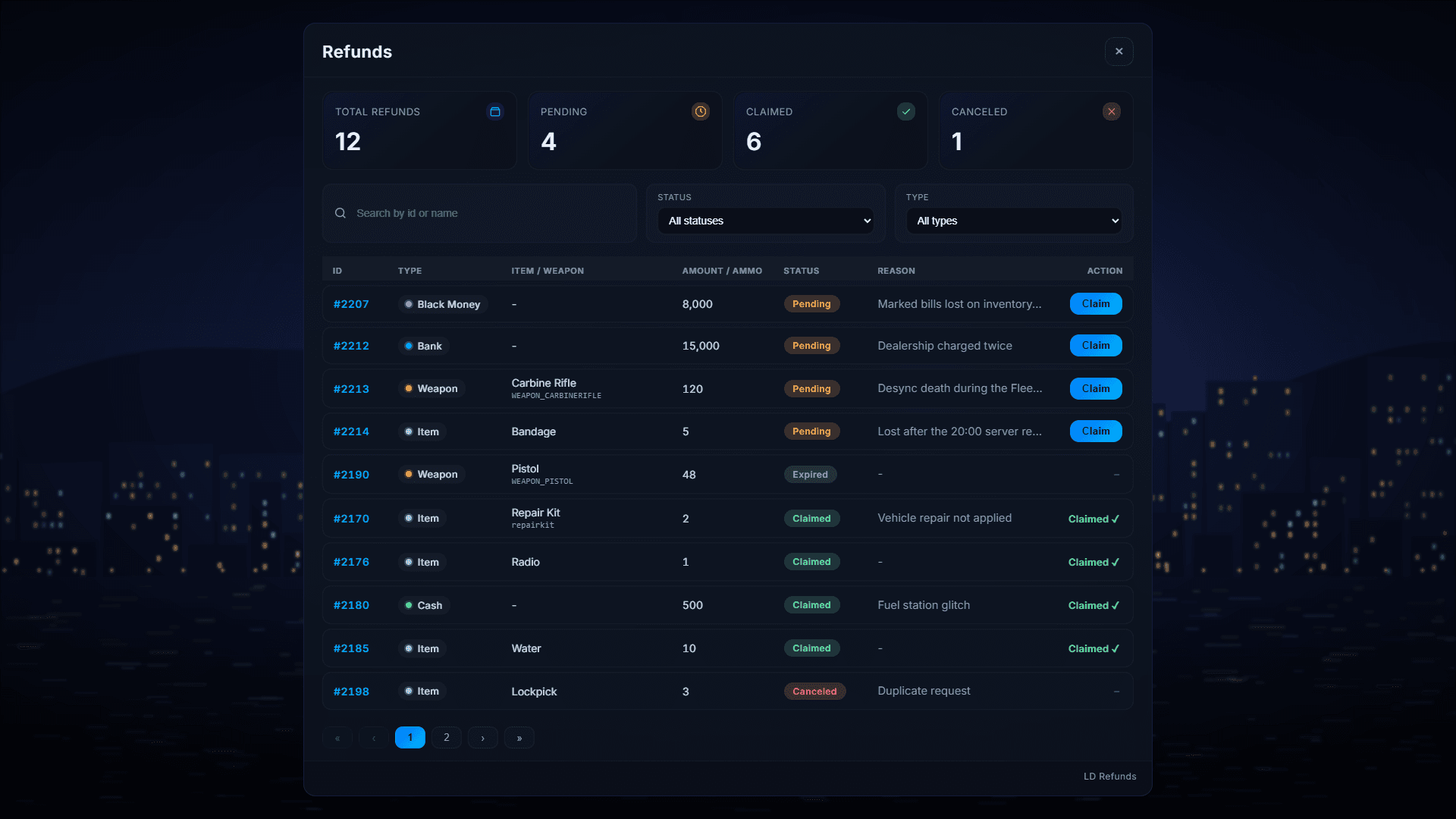
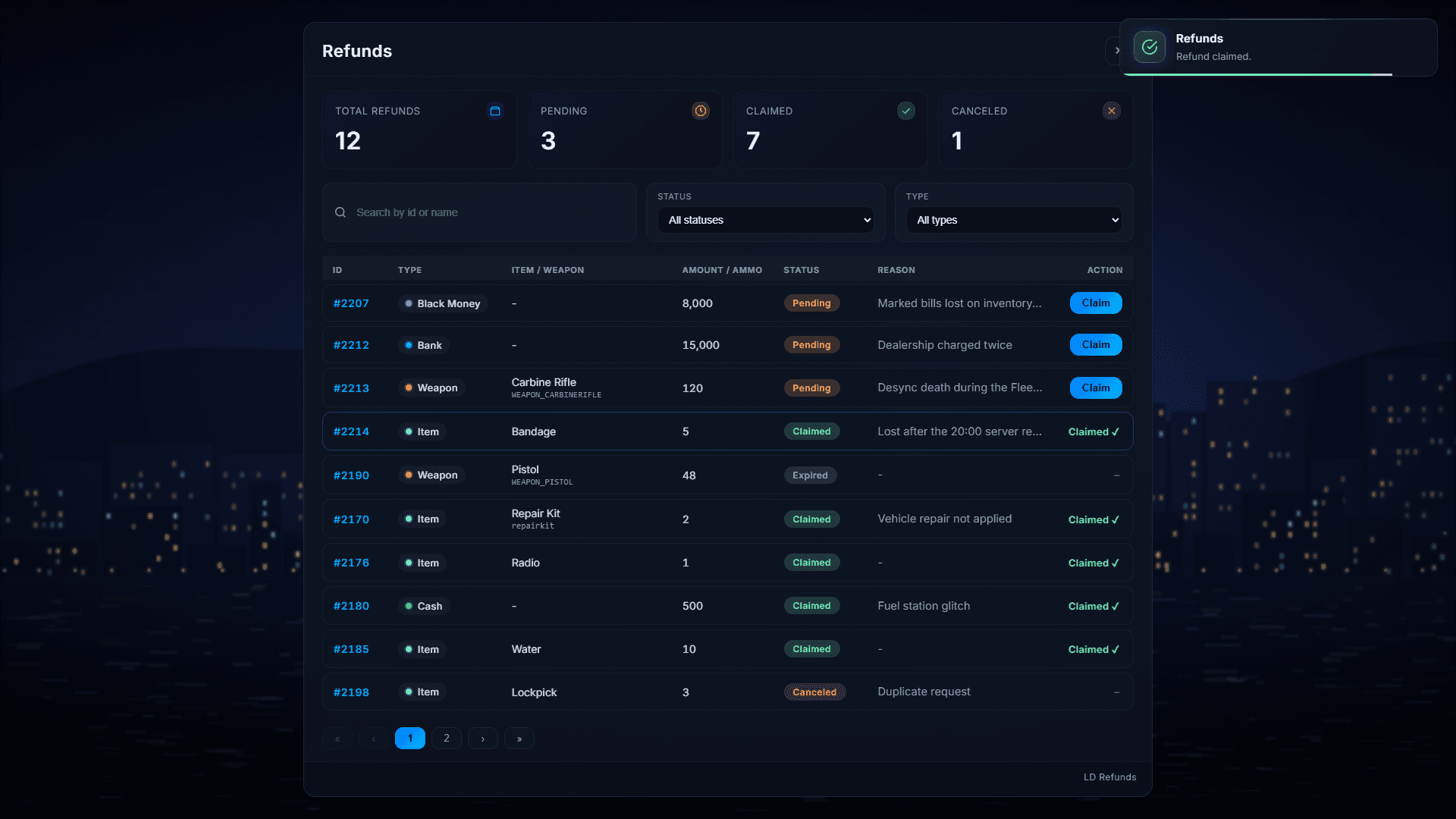
Follow refund #2214
Mika lost five bandages in a server restart. This is the whole trip, from the staff channel to the log. In-game screenshots from v2.5; the Discord view is recreated.
Staff confirm it in Discord
/refund give works for items, weapons, cash, bank and black money. The bot shows what will be given before anything happens, and you can require a reason or manager approval.
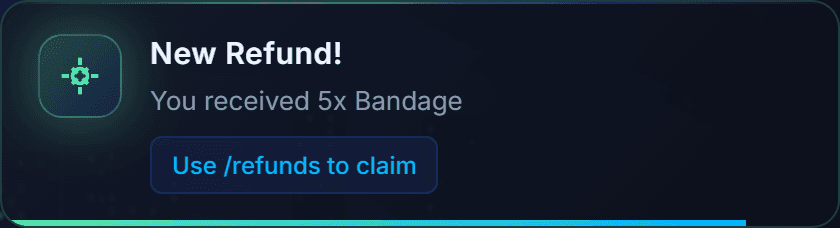
The player is told in-game
Online players get a notification within about a minute; the script checks for new refunds once a minute.
One click in /refunds
The server checks that the refund belongs to the player's Discord account, is still pending and has not expired, then delivers it.
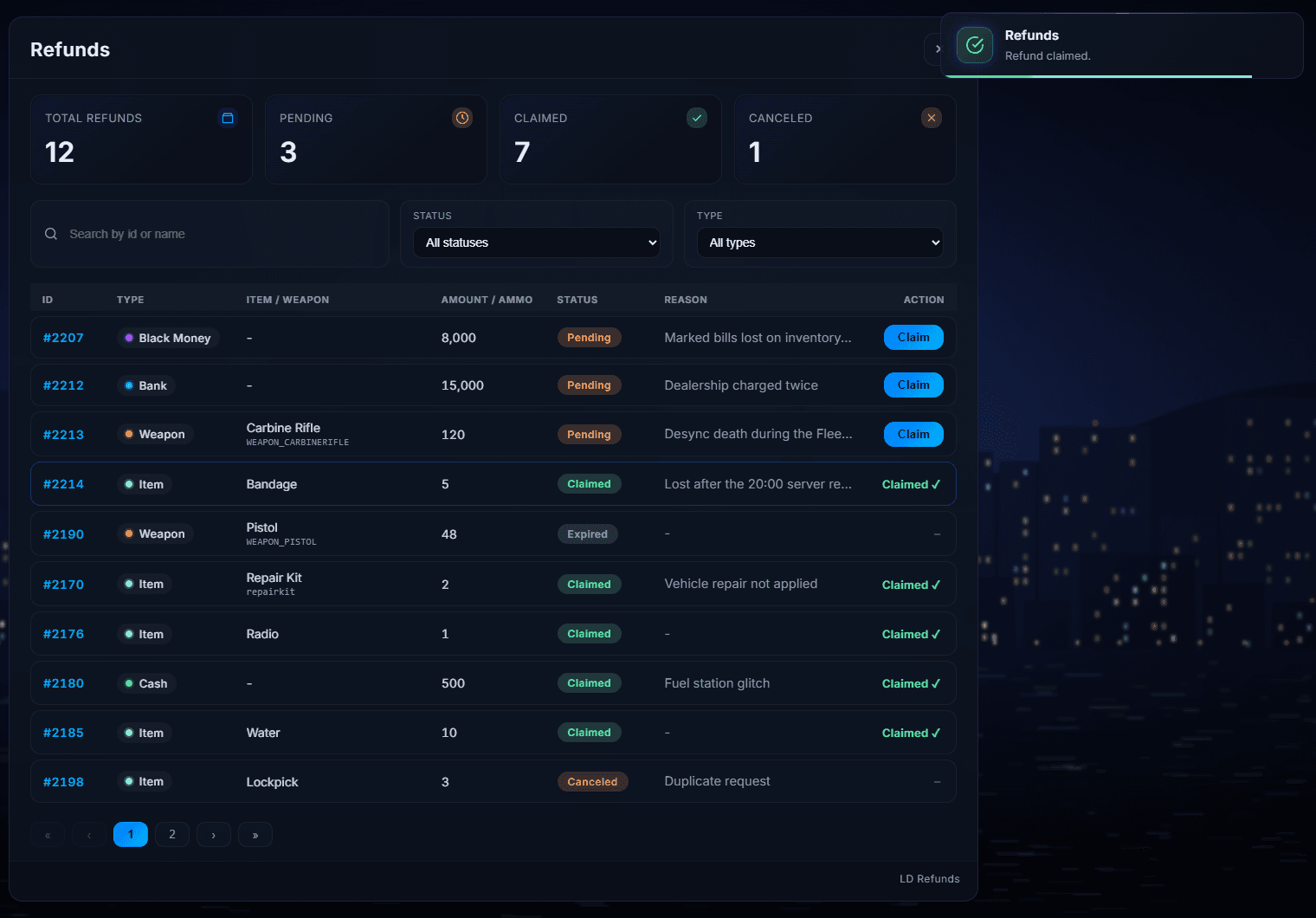
It lands in your log
Refund creation, approval, rejection and cancellation are logged with the staff member and time. Claims can be posted to a Discord channel.
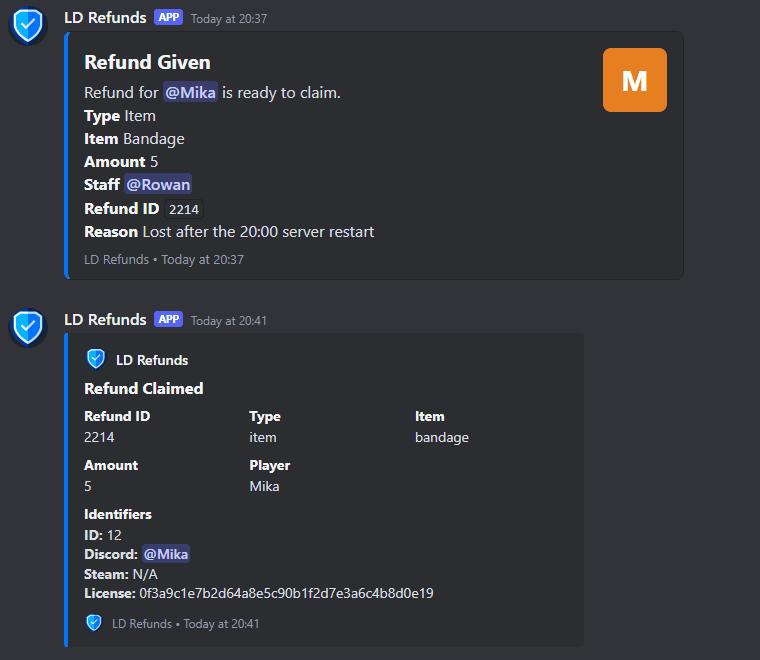
The whole flow in 51 seconds
No sound. The Discord view is recreated for the video and the names are fictional; the in-game shots are LD Refunds v2.5.0.
What your staff get
Discord-first refunds with in-game claiming, built for busy staff teams and large roleplay communities.
Three permission tiers
Admin, manager, and refunder access, mapped to your Discord roles.
Server-side checks
Claims are checked against the player's Discord account and the refund status. Staff can cancel a refund before it is claimed.
Audit log
Refund creation, approval, rejection, and cancellation are logged with the staff member and time.
Lightweight script
No per-frame client loop. Refund data and processing live in the LD Refunds cloud, not on your game server.
Discord-first
Slash commands and buttons your staff already know, and the web dashboard for when they are not in Discord.
Templates
Save a common package of items, weapons and money as a template, and refund it in one go.
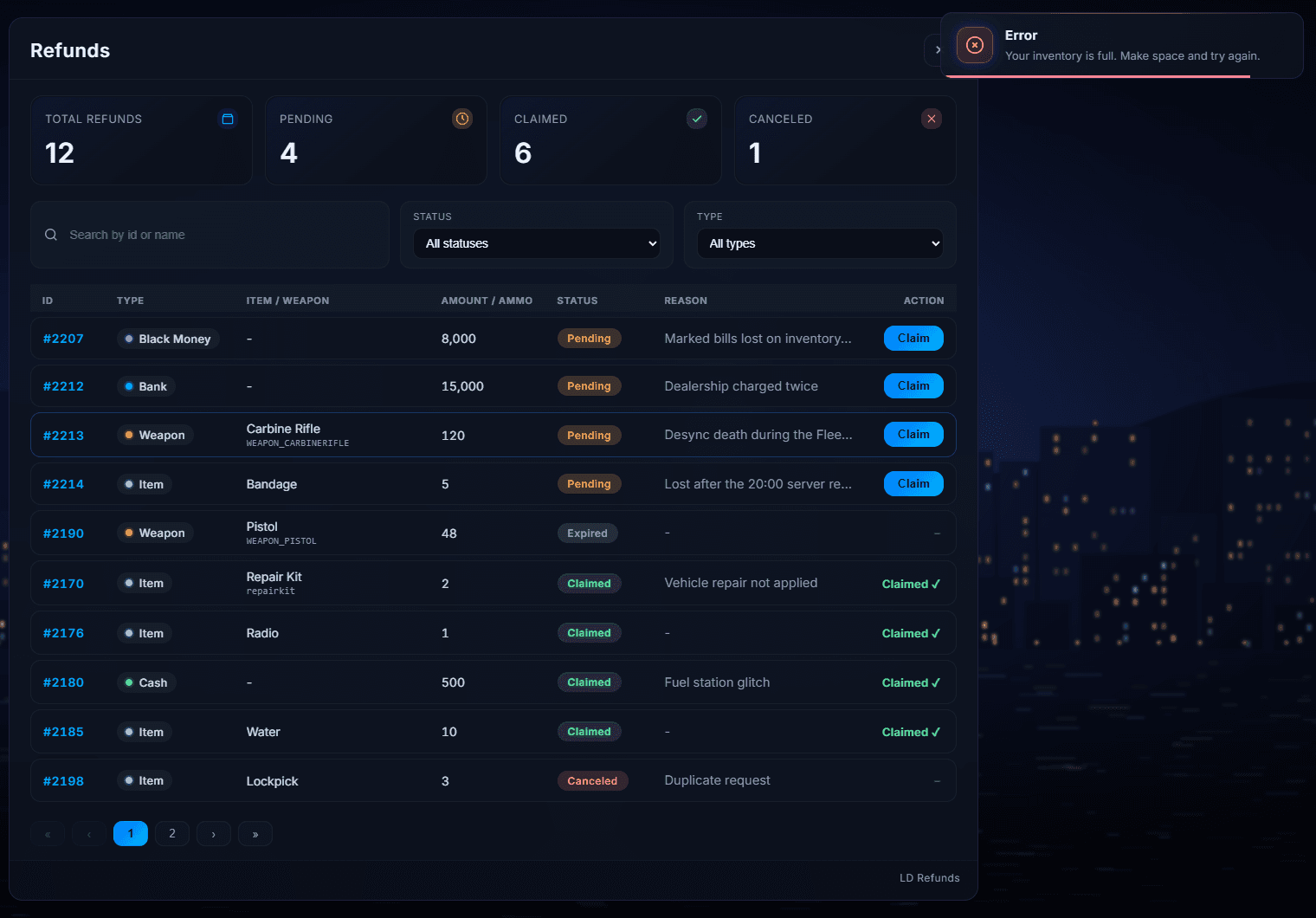
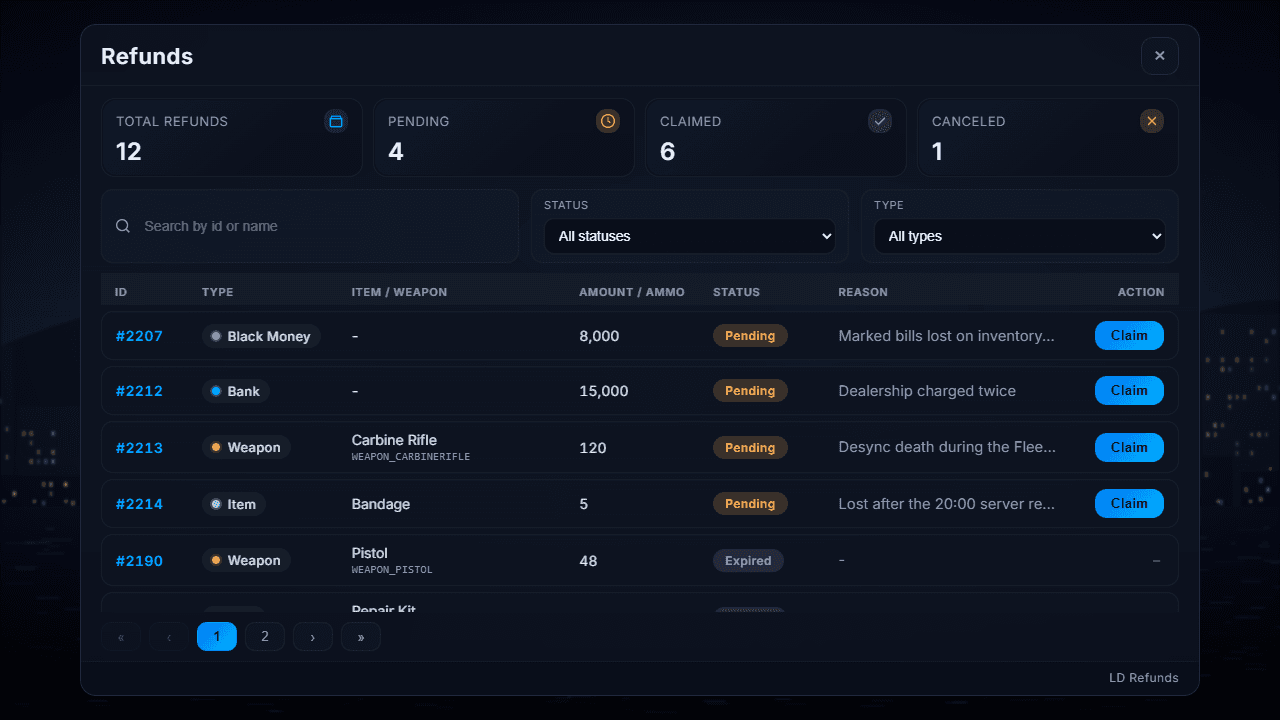
Set up in three steps
Get your refund system running in about 10 minutes, with no customer MySQL.
Connect & configure
Invite the Discord bot, pair your game server, and walk through the guided wizard to set staff roles, logging channels, and refund categories in minutes — no customer MySQL required.
Pairing is one line in your txAdmin console, no restart:
Open dashboardrefunds-pair YOUR_CODEIssue refunds
Staff use /refund in Discord (or the dashboard) to issue item, weapon, or money refunds. Every refund lands in the audit log, and you can require manager approval for staff who cannot approve refunds themselves.
Try live demoPlayers claim
Players claim in-game via the NUI (default /refunds command). The server checks that the refund belongs to the player's Discord account, is still pending, and has not expired.
What it costs
From €9.99/monthor €49.99 lifetime
Free 3-day trial first, with every feature. Checkout on Tebex; prices are shown by Tebex at checkout.
Why it costs more than a single script
A refund script is a resource you run and look after yourself. LD Refunds is the resource plus a service we run for you:
A hosted Discord bot
Slash commands, buttons and log channels. We run and update the bot; you invite it to your Discord.
A web dashboard
Refunds, approvals, templates, staff roles and the audit log in the browser, for staff who are not in Discord.
Cloud storage
Refunds and the audit log live in the LD Refunds cloud, hosted in the Netherlands, not in your server's database.
Nothing to host yourself
No database, no SQL import and no config file with tokens. Start the resource and pair it with one console command.
What customers say
Reviews from staff and owners of servers that use LD Refunds, with the role they gave. Using LD Refunds? Leave a review from your dashboard.
5 out of 5 stars
“Excellent product. It delivers the expected functionality without any measurable impact on server performance.”
5 out of 5 stars
“Amazing refund bot! Everything works smoothly and automatically, saving a lot of time. The system is reliable and easy to use, and the support is fast and helpful. Highly recommended.”
5 out of 5 stars
“This is the best refund system my server has ever used. The setup was very easy and quick. Recommended!”
Frequently asked questions
Setup, the Discord bot and framework support, answered briefly. Anything else: ask in the LD Scripts Discord.
The bot adds slash commands, buttons, and logging into your Discord server so staff can create, approve, and review refunds without leaving Discord. Use commands like /refund give, /refund cancel, and /refund info to manage everything. Works with any Discord server setup.
Yes — LD Refunds supports ESX, QB Core, and QBox. Pair your game server from the dashboard; no customer MySQL or config.lua token paste is required for cloud setup.
The script is built to be light. The client has no per-frame loop, and refunds are stored and processed in the LD Refunds cloud (API and Discord bot), not on your game server. The server side only runs a few background tasks, such as checking for new refunds once a minute. We have not published a resmon benchmark yet, so check it on your own server during the free trial.
Players open the in-game menu, see their pending refunds with status (and the reason, if you allow it), and click Claim. The item, weapon, or money is delivered right away, and you can post every claim to a Discord log channel.
You can refund items, weapons, cash, bank money, black money, and reusable templates for common packages. Required reasons, optional manager approval, and the audit log keep staff accountable.
LD Refunds has three permission tiers (admin, manager, refunder) based on your Discord roles, optional manager approval, required refund reasons, and an audit log of refund actions. Claims are checked server-side against the player's Discord account. Game servers connect outbound-only after dashboard pairing — no API secrets in config.lua.
Setup takes about 10 minutes. Our guided setup wizard walks you through Discord bot connection, game server pairing, and permission configuration step by step. No coding required.
Yes. There is a free 3-day trial on Tebex with the same features as a paid license, so you can test the full refund workflow before buying. Paid licenses are 1 month or lifetime, with an optional white-label bot. See current pricing on our pricing page.
View pricingox_inventory is detected and used automatically. Without ox_inventory, items and weapons are given through the framework's own inventory functions on ESX, QBCore or Qbox. Other inventory resources have not been tested.
Yes. A refund is given to a Discord account, and the server checks at claim time that the player's Discord matches. A player without Discord linked to FiveM sees "Link Discord to your FiveM account to view and claim refunds."
Refunds are stored in the LD Refunds cloud (hosted in the Netherlands), not on your game server, so nothing your staff created is lost. While the service cannot be reached, players see "Refund service is temporarily unavailable" and their refunds stay pending until it is back. If delivery fails after a claim, the claim is reverted so the refund can be claimed again.
You choose at checkout: buy one month once, or subscribe on Tebex to renew every month. A one-off month ends on its expiry date and does not renew. A subscription renews until you cancel it in Tebex or PayPal; it then ends at the end of the period you paid for.
The license never expires, there is no renewal fee, and you keep the ld-refunds resource. It does not mean the hosted service runs forever: LD Refunds is cloud-only, and the API, Discord bot and dashboard run for as long as LD Refunds is offered. If we ever stop offering LD Refunds, we will announce it in advance.
Read the Lifetime termsFrom our terms: ask Tebex first, or e-mail us at legal@ldscripts.com and we will help. If the service does not work as described and we cannot fix it within a reasonable time, you are entitled to a full or partial refund under consumer law. EU and UK consumers may have a 14-day right of withdrawal; for digital content that is delivered straight away, it can end once delivery starts, if you agreed to that at checkout. The free 3-day trial lets you test it first.
Read the termsPrices are shown by Tebex at checkout.
We recommend MC-Node, our official hosting partner: Dutch FiveM hosting with a game panel (txAdmin, one-click ESX / QBCore, MariaDB), PletX DDoS protection, and ticket and Discord support. MC-Node customers get 20% off any LD Refunds license — details are on the partner page.
View the MC-Node offerTry it on your own server
Free for 3 days with every feature. ESX, QB Core and QBox. No credit card required.
What you need
Check these before you buy. The trial needs the same.
Your server's Cfx.re account
Log in with it at the Tebex checkout. The ld-refunds resource is delivered there, under Granted Assets.
Your Discord, in the LD Scripts Discord
Link your Discord account at checkout and join the LD Scripts Discord: your license arrives there as a role.
A Discord server for the bot
One license covers one Discord server. You need permission to add a bot to it.
ESX, QBCore or Qbox
The script detects the framework by itself.
Players with Discord linked
Refunds are tied to a player's Discord account, so players need Discord linked to FiveM to claim.
Outbound HTTPS
The game server connects out to api.ldrefunds.com. No open ports and no database.